
How To Install HLDS (Half-Life Dedicated Server)
In this tutorial, we’ll walk through how to download and install HLDS using SteamCMD on both Windows and Linux. HLDS is the dedicated server application for games like Counter-Strike 1.6, Half-Life, and Team Fortress Classic. We’ll cover both operating systems separately.
Prerequisites
- Basic knowledge of using a terminal (Linux) or command prompt (Windows)
- Sufficient disk space (at least 2 GB recommended)
- Firewall access to the port you’ll be hosting on (default:
27015)
Windows Installation
Step 1: Download and Extract SteamCMD
- Download SteamCMD.
- Extract it to a folder, e.g.
C:\steamcmd.
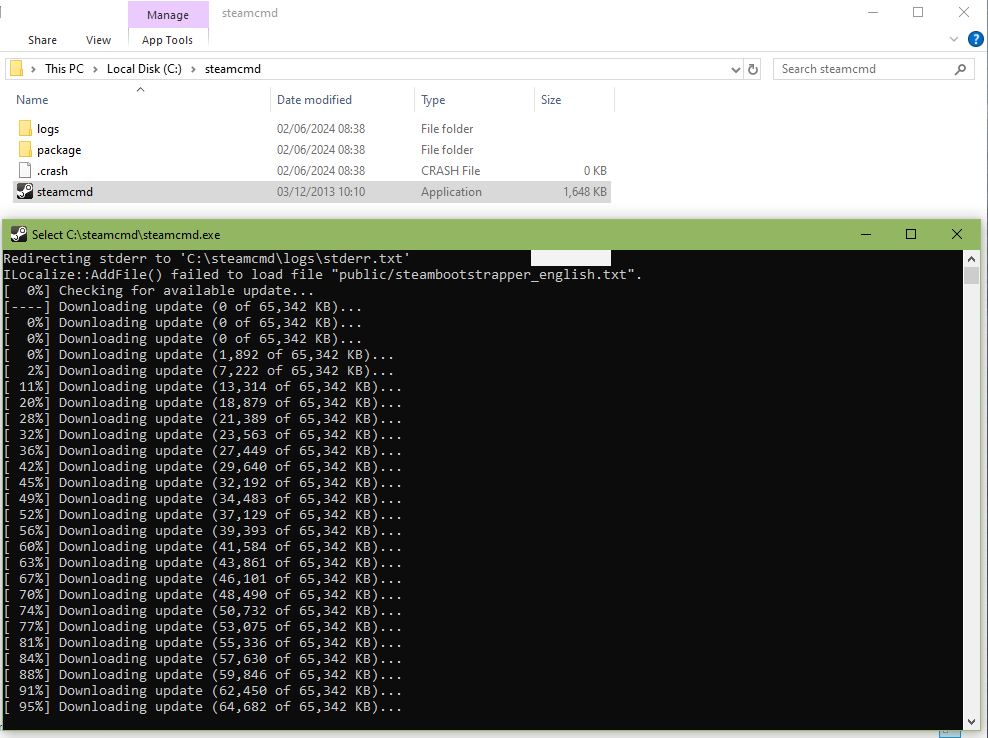
Step 2: Run SteamCMD
- Navigate to your SteamCMD folder
- Run
steamcmd.exe(it will update itself)
Step 3: Set Installation Directory
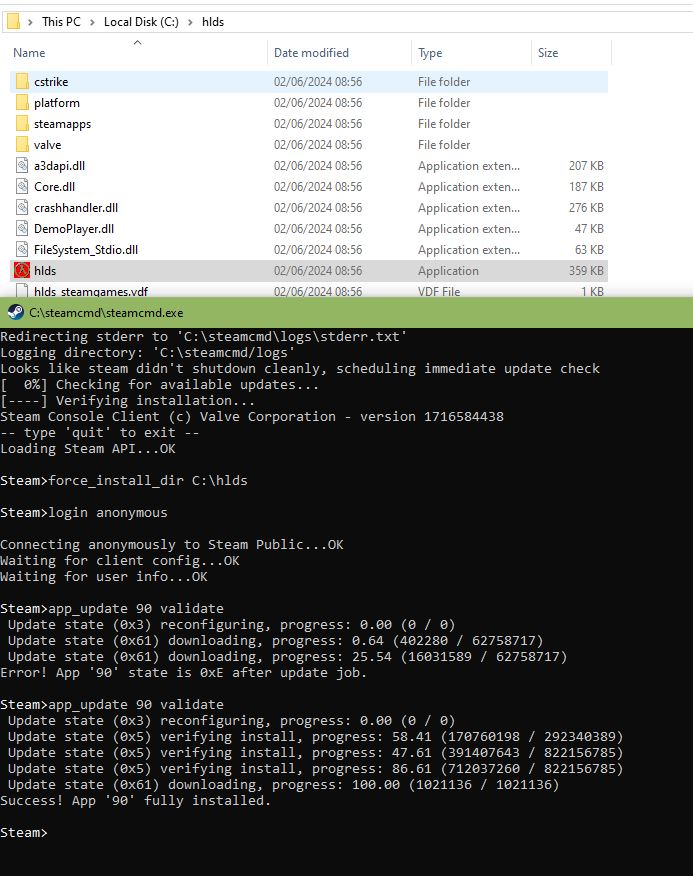
force_install_dir C:\hldsStep 4: Log in to SteamCMD
login anonymousStep 5: Install HLDS
app_update 90 validate(Run this command again if files are missing.)
Step 6: Install Additional Mods (Optional)
app_set_config 90 mod tfc
app_update 90 validate
Step 7: Launch HLDS
You should then able to launch HLDS through it’s exe file, however If you wish to run this through command prompt you can try the following commands
cd /d "C:\path\to\hlds"
hlds.exe -console -game valve +sv_lan 0 +maxplayers 22 +map undertow
Linux Installation
Step 1: Install SteamCMD
Debian/Ubuntu:
sudo apt-get update
sudo apt-get install lib32gcc1 steamcmd
Fedora:
sudo dnf install steamcmdStep 2: Run SteamCMD
steamcmdStep 3: Set Installation Directory
force_install_dir ./hldsStep 4: Log in to SteamCMD
login anonymous
Step 5: Install HLDS
app_update 90 validate
Step 6: Launch HLDS
./hlds_run -game valve +sv_lan 0 +maxplayers 22 +map undertowOptional: Create a Launch Script
Create a file named server.sh and allow it to be executable
#!/bin/bash
./hlds_run -console -game valve -port 27015 -autoupdate +map crossfire +maxplayers 24
Troubleshooting
- Missing files: Run
app_update 90 validateagain. - Port issues: Open port
27015in your firewall. - Server won’t start: Double-check your install directory path.
You now have a working HLDS installation! From here, you may want to:
- Install mods like AMX Mod X or MetaMod.
- Edit
server.cfgto set your server name, rcon password, and other settings. - For more, see the official SteamCMD documentation.
Summary
- App ID:
90(Half-Life Dedicated Server) - Default port:
27015 - Runs on Windows & Linux via SteamCMD
- Supports all GoldSrc mods (cstrike, tfc, dod, gearbox etc.)
- Anonymous login is sufficient for install